
TM SIM Registration Online
Register your TM SIM through Globe’s official portal in under 10 minutes — free, secure, and required by Philippine law.

⚠ Register before your SIM is deactivated permanently — it takes less than 10 minutes.
TM SIM registration is required under Philippine law for every prepaid user. This guide shows you how to register your TM SIM correctly and how to fix the most common registration errors.
TM is a prepaid brand owned by Globe Telecom. Because of this, TM SIM registration is completed through Globe’s own registration system rather than a separate TM platform. You can register your TM SIM online through Globe’s official SIM registration portal, through the GlobeOne app, or in person at any Globe store.
Choose Your Registration Method


Understanding the Law: Republic Act No. 11934
Republic Act No. 11934, or the SIM Registration Act, requires every SIM user in the Philippines to register their personal details and a valid ID. It took effect in October 2022, with registration starting December 27, 2022.
The law protects users from scams and fraud sent through unregistered numbers. It applies to locals, foreigners, and businesses. TM SIM registration falls under this law because TM is a Globe prepaid brand.
Registering with false information can lead to six months to two years in prison or a fine up to 300,000 pesos. Telecom companies that violate the law face fines from 100,000 to 1,000,000 pesos.
Who Must Register Their TM SIM in 2026?
Every TM SIM user must register, regardless of age, nationality, or how long they have used the number. The requirements differ slightly by user type.
New TM SIM Users: New TM SIM users must register before using the SIM for calls, texts, or data. Registration happens through the online portal, the GlobeOne app, or a Globe store.
Minors (Under 18): A SIM used by a minor must be registered under the name of a parent or legal guardian. The parent or guardian provides their own valid ID and personal details.
Seniors and Persons with Disabilities (PWDs): Seniors and PWDs follow the same registration steps as other users. They can also register in person at a Globe store if they need help completing the online form.
Foreign Nationals/Tourists: Foreign nationals and tourists must register their Philippine SIM using a passport or another valid government issued ID. A tourist SIM is valid for 30 days and deactivates automatically after that unless renewed.
Corporations/Businesses: A SIM used for business purposes must be registered under either the employee using the number or the company’s authorized representative. The company should keep proof of authorization on file for future updates.

TM SIM Registration Methods
Choose the method that works best for you. The online portal is the fastest option for most users.
Method 1: Register via Online Portal
Tip: Use an updated browser such as Chrome or Firefox. Make sure the website address starts with https for security. Save a screenshot of your reference number when you finish.
- Go to simreg.globe.com.ph in your browser, or scan the QR code shown on the homepage with your phone camera.

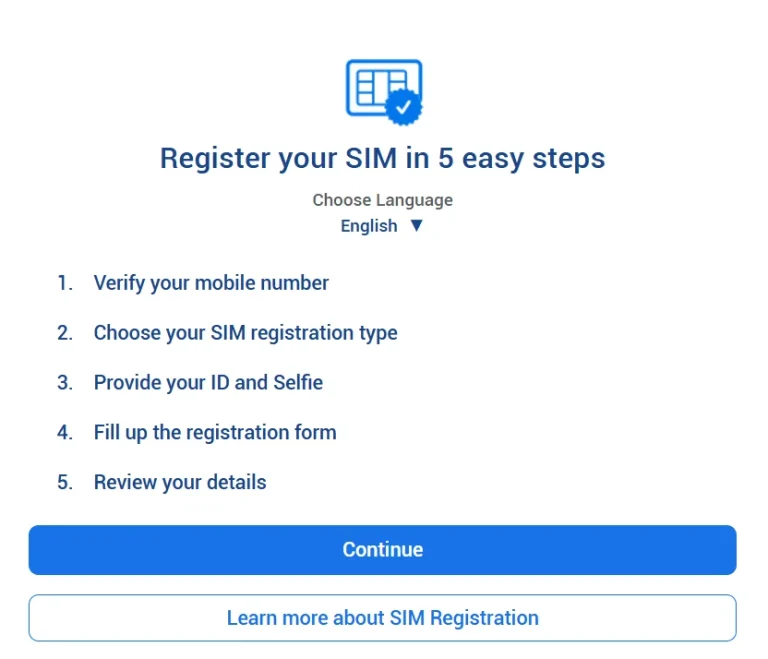
- Read the short instructions on the page, then continue to the number verification step.

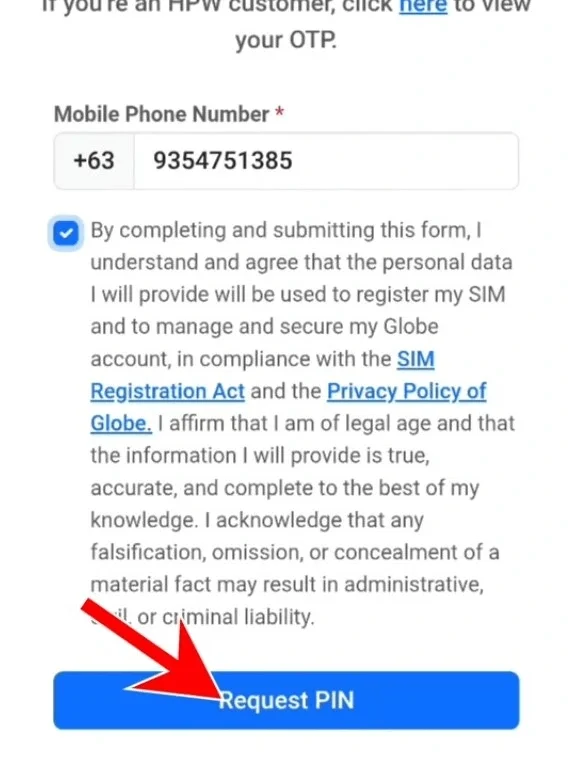
- Enter your active TM mobile number and tick the checkboxes confirming that your information is accurate and that you agree to Globe’s Privacy Policy and the SIM Registration Act.

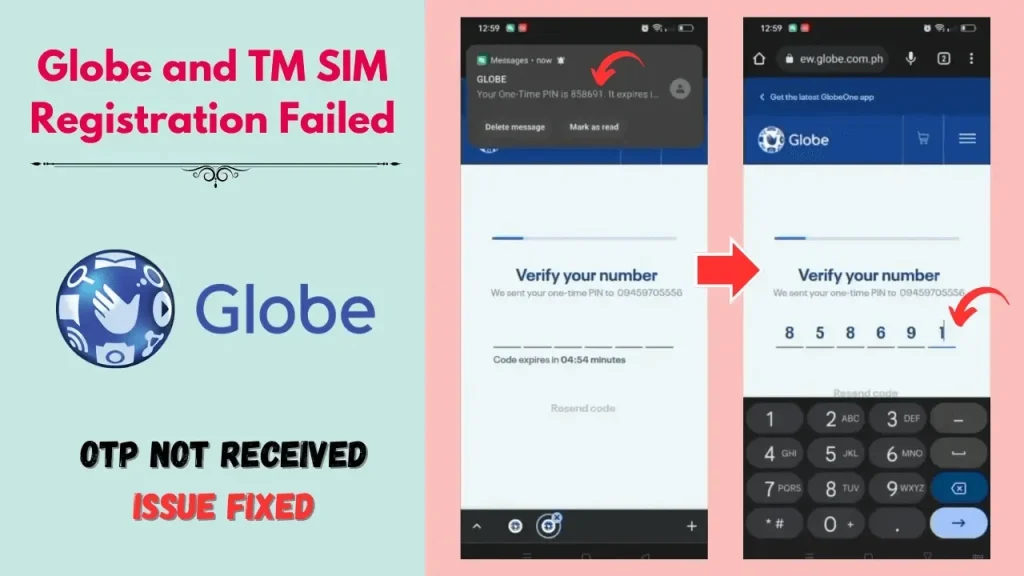
- Request your OTP. The code usually arrives by SMS within a couple of minutes.
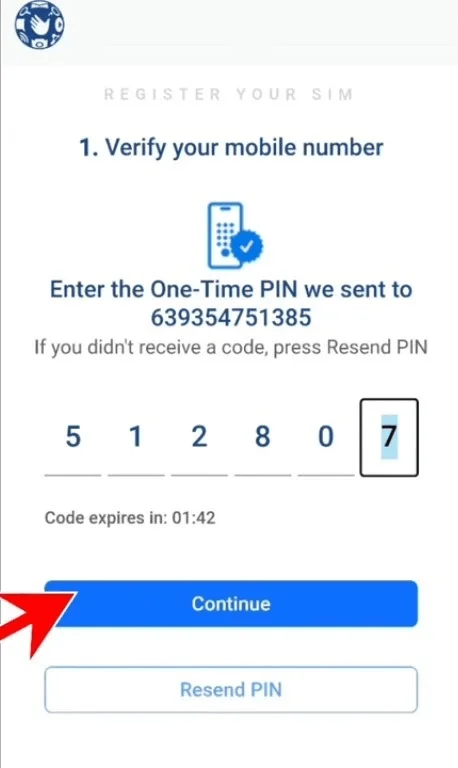
- Enter the OTP exactly as received, then continue. The OTP expires after 5 minutes, so enter it quickly.

- Select whether you are registering as a Filipino citizen or a foreign national.

- Upload a clear photo of a valid government issued ID, then take a live selfie for identity verification.

- Fill in your full name, birthday, gender, address, and other required personal details.


- Review the summary of your information for accuracy.

- Confirm that your details are true, then submit your registration.
- Wait for processing. You will receive a confirmation SMS and a reference number once approved.

- Save your reference number in case you need it later.


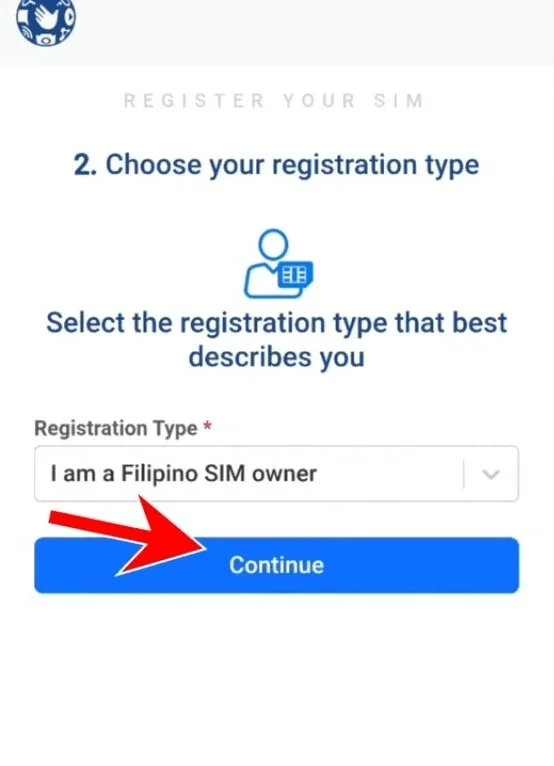
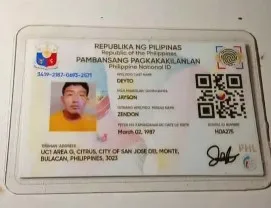
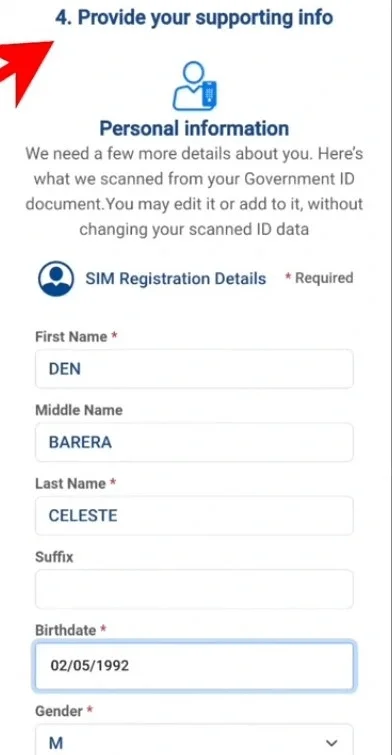
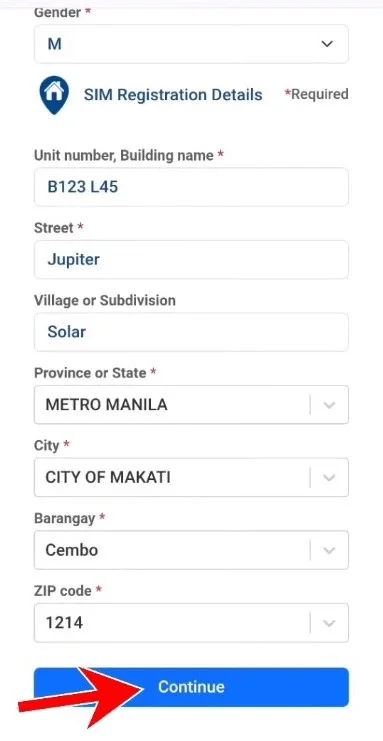
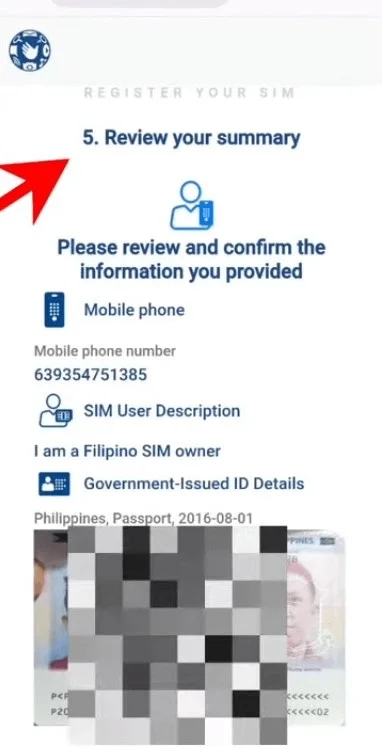
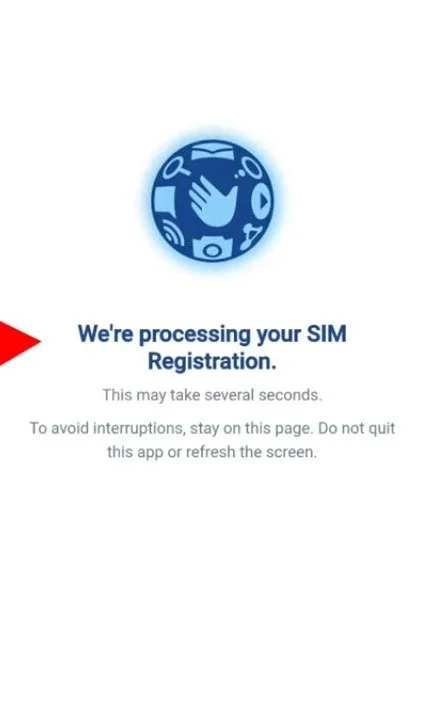
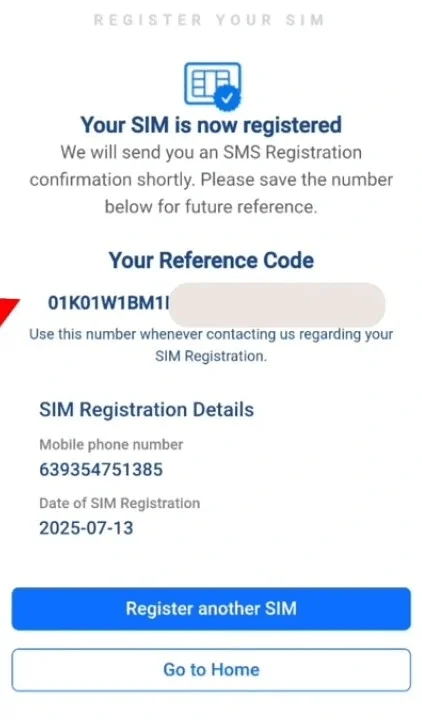
Registration through this portal is free. If your ID gets rejected, retake the photo in good lighting with all text readable, then try again. If you own more than one SIM, repeat this process for each number separately.
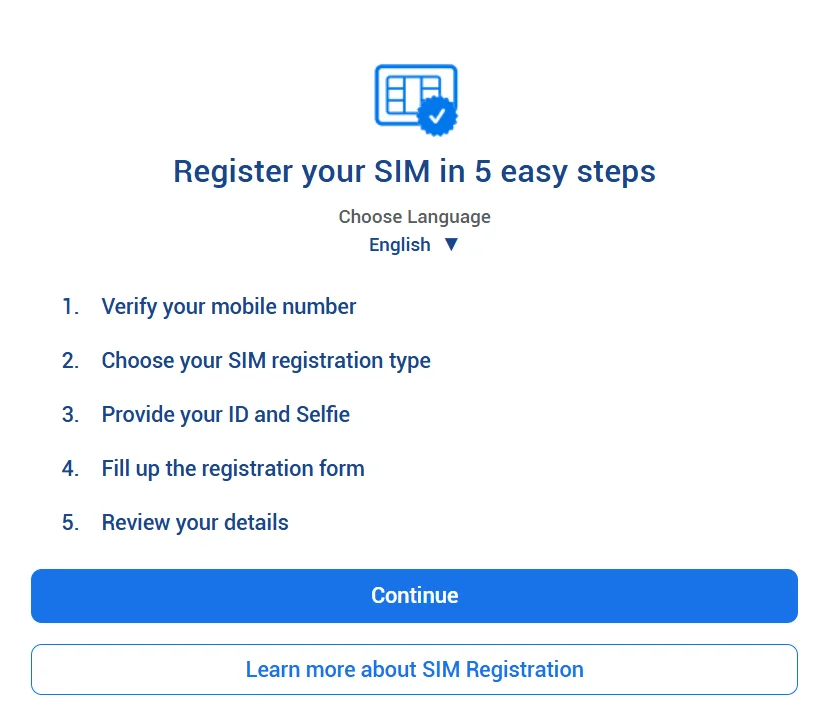
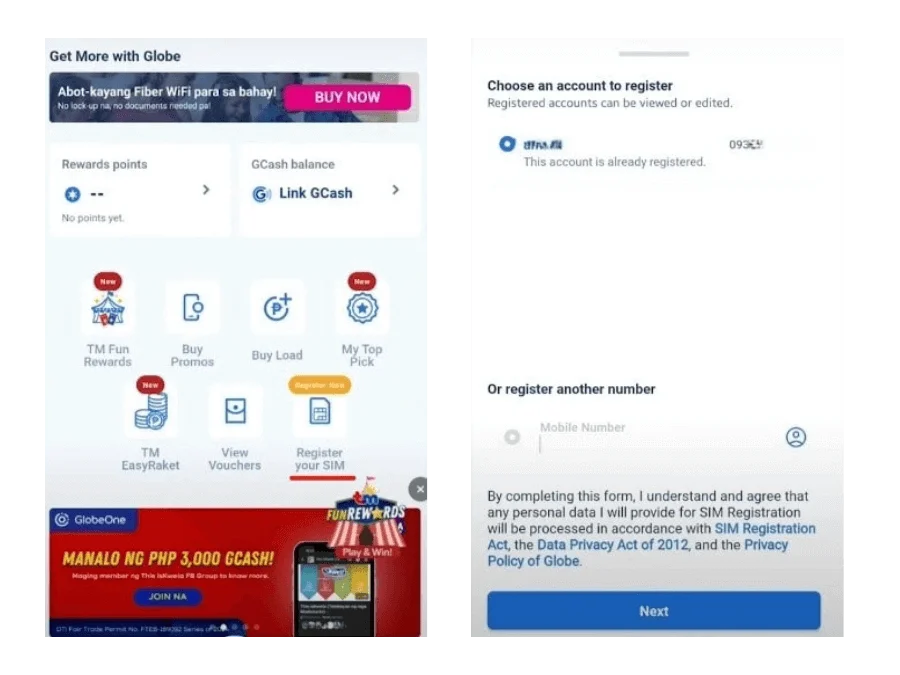
Method 2: Register via GlobeOne App
- Download the GlobeOne app from the Google Play Store or Apple App Store.
- Open the app and log in with your existing Globe or TM account, or create a new one.
- Tap the registration option in the app menu.
- Enter your TM mobile number and request an OTP.
- Enter the OTP you receive by SMS to verify your number.
- Fill in your personal and address details.
- Upload a clear photo of a valid government issued ID and take a selfie for verification.
- Review your information carefully, then submit your registration.
- Save the reference number shown after your registration is approved.
If the app freezes, close it, clear its cache, and try again, or update to the latest version. A parent or guardian should complete this process using their own account for a minor’s SIM.
Method 3: In-Store Registration
- Visit any Globe store near you.
- Bring your TM SIM and a valid government issued ID.
- A Globe staff member will guide you through the registration and verify your identity in person.
Important safety note: Globe has publicly warned that fake websites copy the look of its official registration portal. Only register through simreg.globe.com.ph or the GlobeOne app. Registration is completely free. Do not pay anyone, online or in a store, to register your SIM.

TM SIM Registration Requirements
Basic Requirements
| Requirement | Details | Tip |
|---|---|---|
| Active TM mobile number | The SIM must be inserted in your phone with signal to receive the OTP | Make sure the number is active before you start |
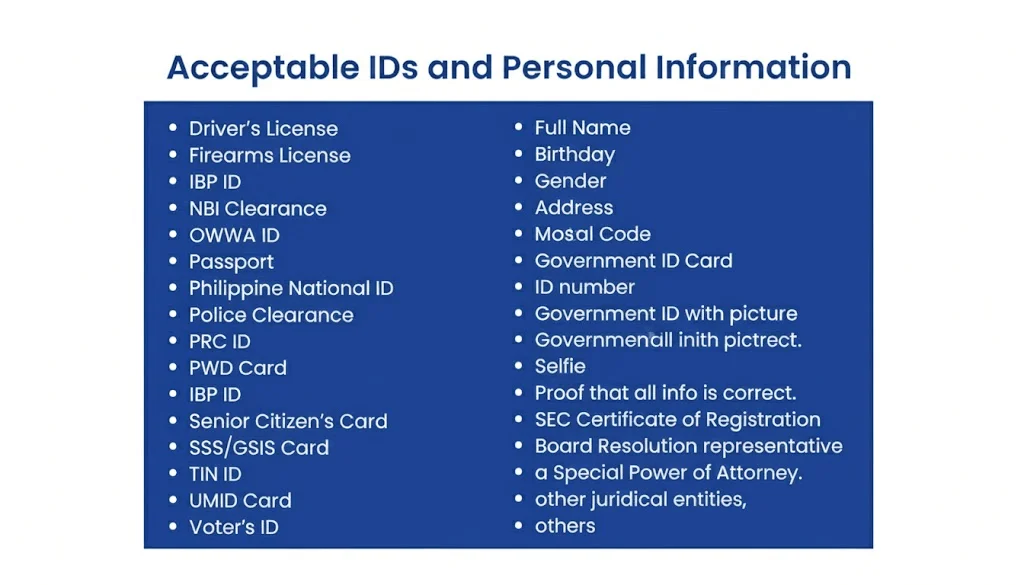
| Valid government issued ID | Passport, National ID, driver’s license, UMID, BIR ID, PhilPost ID, SSS ID, PRC ID, or Senior Citizen ID | Use the original ID, not a photocopy |
| Clear selfie | Live photo with your full face visible, no filters, hats, glasses, or masks | Take it in bright, natural light |
| Personal details | Full name, birth date, address, and gender must match your ID exactly | Double check spelling before you submit |
| Stable internet connection | Needed to receive the OTP and upload your documents without errors | Use WiFi if your mobile signal is weak |
Acceptable Valid IDs
Globe accepts these government issued IDs for TM SIM registration: Philippine passport; Philippine National ID (PhilID); Driver’s license; UMID card; BIR or TIN ID; PhilPost postal ID; SSS ID; PRC ID; Senior Citizen ID.
Selfie Requirements
Take your selfie in good lighting with your full face visible. Do not wear sunglasses, a face mask, or anything that covers your face. Your face should match the photo on your submitted ID.
Technical Requirements (For Online Registration)
Use an updated browser or the GlobeOne app. Make sure your phone camera can take a clear photo. Keep your internet connection stable so the OTP and upload steps do not fail.
What Not to Submit
| Do Not Submit | Reason |
|---|---|
| Expired ID | Cannot be verified as currently valid |
| Photocopy or screenshot of ID | Only an original, live photo can be verified |
| Blurry, cropped, or edited photo | Details must be fully readable |
| Someone else’s ID or information | Registration must match the actual SIM owner |
Special Requirements by User Type
| User Type | Who Registers | ID Required | Special Notes |
|---|---|---|---|
| Foreign Nationals/Tourists | The foreign national | Valid passport | Tourist SIM is valid for 30 days and deactivates automatically unless renewed |
| Minors | Parent or legal guardian | Guardian’s valid ID | SIM is registered under the guardian’s name, not the minor’s |
| Seniors/PWDs | The senior or PWD | Senior Citizen ID, PWD ID, or any valid ID | In-store registration available for help completing the process |
| Companies/Corporations | Employee or authorized representative | Representative’s ID plus proof of authorization | Company should keep the authorization letter on file for future updates |
Tips for Successful Registration
Preparation Hacks: Charge your phone and make sure you have a stable internet connection. Have your government ID ready and clean, with no glare or shadows. Sit in a well lit area for your selfie. Double check that your name and birthday match your ID exactly before you submit.
Security Tips: Never share your OTP with anyone, even someone claiming to be from Globe or TM support. Globe will never ask for your OTP through a phone call, chat, or social media message. Only enter your personal details on simreg.globe.com.ph or the GlobeOne app. Log out of the GlobeOne app if you are using a shared or public device.

How to Update or Correct Registration Details
You may need to update your registration if:
- you change your address;
- you legally change your name;
- you made a typing mistake during registration.
To update your details, contact Globe through Facebook Messenger or visit a Globe store with a valid ID. Bring proof of the change, such as a marriage certificate for a name change, if one applies.
Troubleshooting TM SIM Registration Errors
OTP Not Received or Delayed: If you do not receive your OTP within a few minutes, check your signal strength and make sure your phone can receive SMS. Tap Resend OTP on the registration page and wait again. If you still do not receive it after a few tries, contact Globe through Facebook Messenger or visit a Globe store.
Invalid ID or Selfie Rejected: Your ID or selfie may be rejected if the photo is blurry, poorly lit, or if any part of the ID is cut off. Retake the photo in good lighting with your full ID visible and your face clearly shown in the selfie, then submit again.
SIM Already Registered Error: This message appears if your number is already registered, sometimes from an earlier attempt or after switching to TM through number portability. Contact Globe through Facebook Messenger or visit a Globe store to confirm your registration status and resolve the issue.
App/Portal Crash or Timeout: If the registration portal or app freezes or times out, close it and reopen it. Clear your browser cache or update the GlobeOne app to the latest version, then try again with a stable internet connection.
Upload Fails or Invalid Details: If your upload keeps failing, check that your photo is clear and not too large or too small. Make sure your typed details, such as your name and birthday, exactly match your ID before you submit again.
SIM Blocked or Rejected: How to Fix: If your registration is rejected or your SIM is blocked, visit a Globe store with your ID for help, or contact Globe through Facebook Messenger to find out the reason and correct it.
How to Get an OTP on a WiFi or Pocket Router SIM: If you are registering a SIM used in a WiFi device or pocket router, connect to the WiFi network, then log into the modem’s dashboard. Check the SMS inbox inside the dashboard to find your OTP.
How to Check If Your TM SIM Is Registered
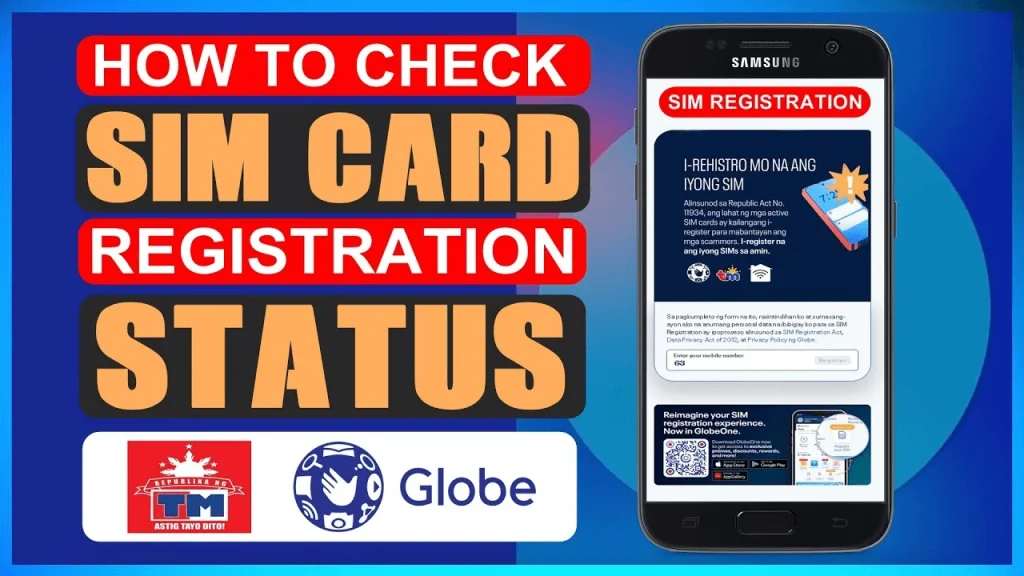
Via GlobeOne App: Open the GlobeOne app. Log in with your TM number or existing account. Go to your account or SIM details section. Look for a registered status next to your number.
Via Online Portal: Go to simreg.globe.com.ph. Enter your TM mobile number. The portal will show your current registration status.
Contact Globe/TM Support: Dial 808 for free using your TM SIM, or 211 using any Globe mobile number. From a landline, call (02) 7730-1000. Give your TM number to the support agent and ask for your registration status.
Visit a Globe Store: Find the nearest Globe store using the store locator on globe.com.ph. Bring your TM SIM and a valid government ID. Ask staff to check your registration status in their system.
What to Do If You Lose Your Registered SIM
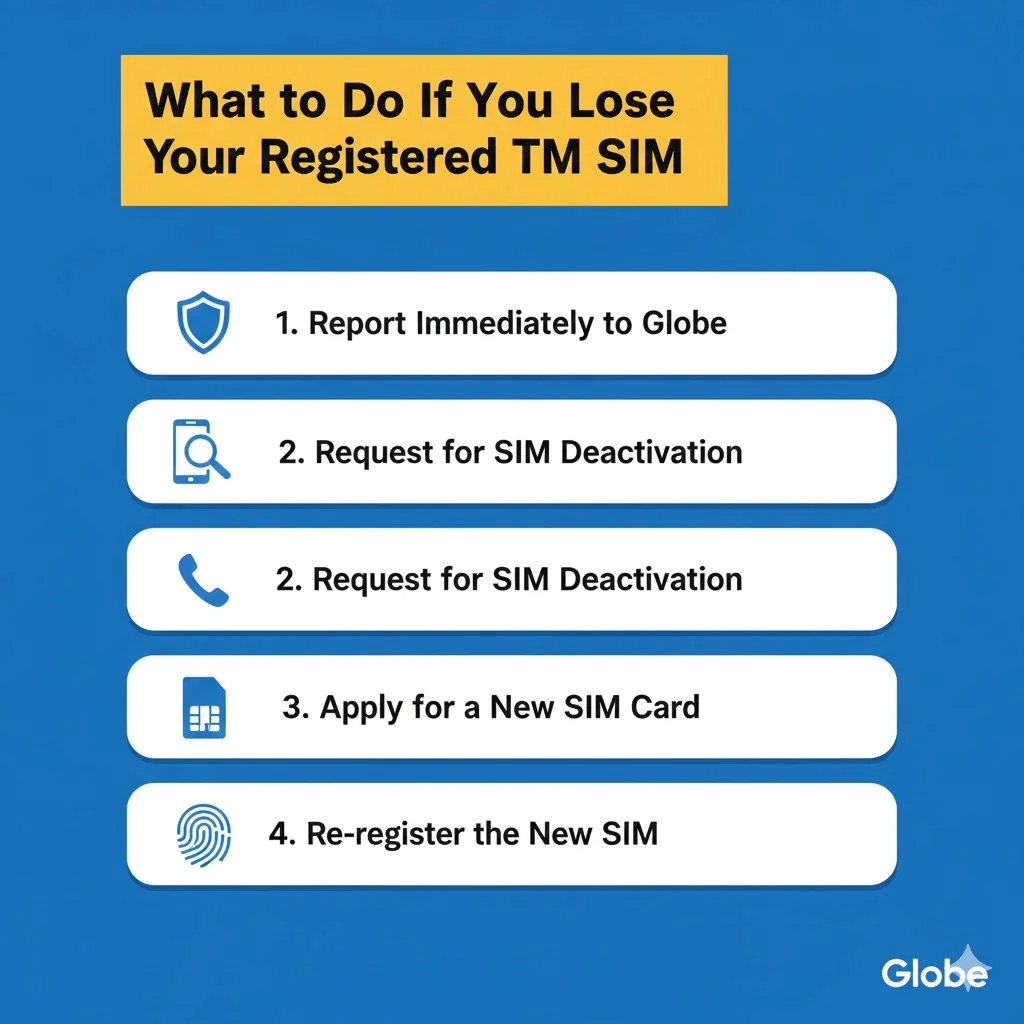
Report the Loss: Report your lost SIM right away to prevent misuse. Message Globe on Facebook Messenger and select Report Lost Phone or SIM from the SafeAtHome menu, or call 211 for free to report it immediately.
Get a Replacement SIM: You can request a replacement in two ways. Through the GlobeOne app, go to SIM Services, confirm your eligibility, provide a delivery address, and confirm your request. You can also visit any Globe store with a valid government ID and a selfie for verification. In-store replacements are usually activated within 24 hours. A replacement SIM costs 50 pesos for prepaid users and 99 pesos for postpaid users. Your mobile number stays the same after replacement.
Re-register the New SIM: Even though your number stays the same, your new physical SIM may need to be registered again. Check your registration status through the GlobeOne app or the online portal after activation. If it shows as unregistered, complete the registration steps again using the same personal details as before.
Tips to Avoid Issues: Report a lost SIM immediately to stop anyone else from using your number. Keep a record of your registered personal details for future reference. Save your Globe account login so you can request a replacement quickly through the app.
What Happens If You Don’t Register Your SIM?
Penalties for Non-Compliance: If you provide false information or fail to register your SIM, you could face penalties under the SIM Registration Act. An individual can face six months to two years in prison, a fine of up to 300,000 pesos, or both. Telecommunications companies that fail to follow the law can be fined between 100,000 pesos and 1,000,000 pesos.
Reactivation Steps: An unregistered TM SIM gets deactivated once the registration deadline passes. According to Globe, a SIM deactivated for non-registration cannot be reactivated or repurchased. This means you lose that number permanently. To avoid this, register your TM SIM as soon as possible.
Benefits of Registering Your TM SIM
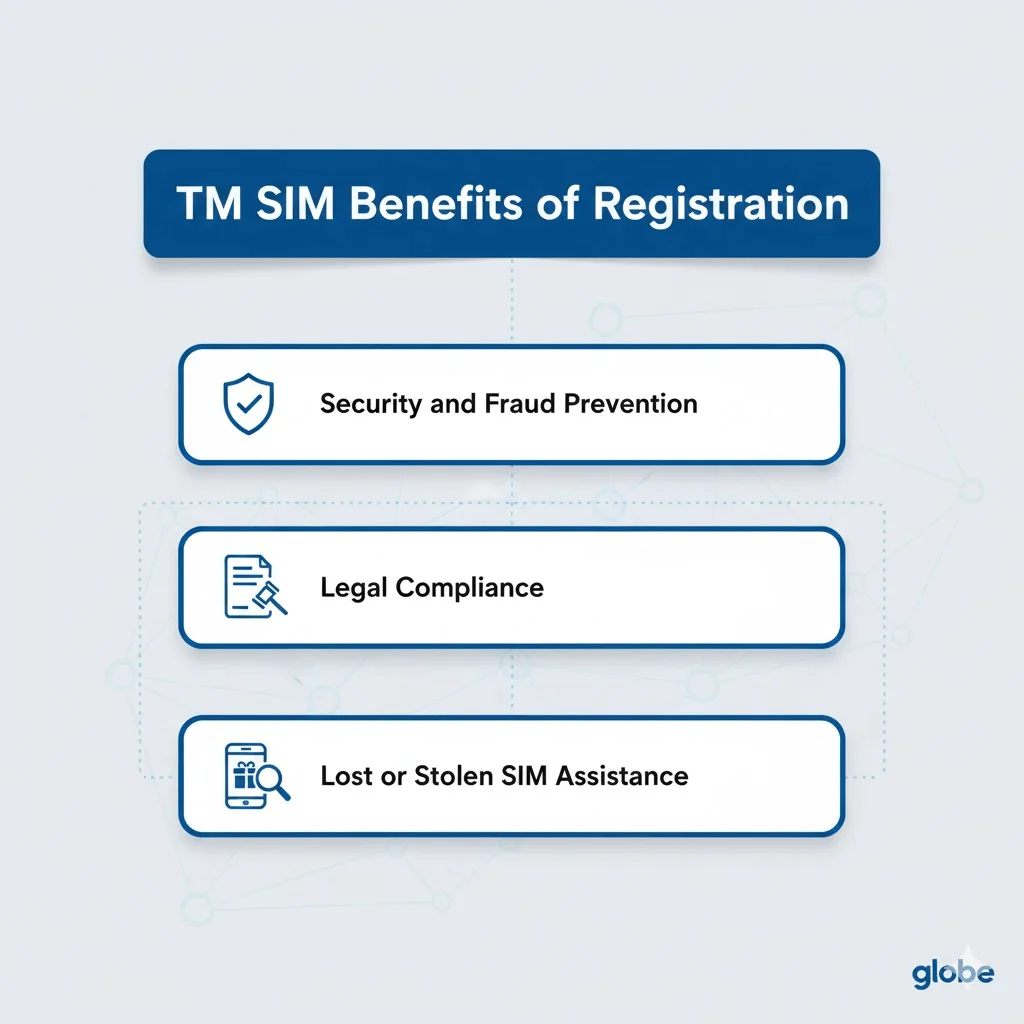
Registering your TM SIM gives you more than legal compliance. It also provides:
- Continued service. Your SIM stays active and avoids deactivation.
- Legal protection. You avoid the fines and penalties tied to non-compliance.
- Faster support. Globe can verify your identity quickly if you need a replacement SIM or account help.
- Reduced fraud risk. A registered number makes it harder for scammers to use anonymous SIMs to target you or impersonate telecom services.
- Full access to services. Some promos, app features, and account services require a registered and verified number.
Frequently Asked Questions
Register Your TM SIM Before the Deadline
Registering your TM SIM protects your number and keeps you within the law. The process takes only a few minutes through the official Globe portal, the GlobeOne app, or any Globe store. Always use official channels, since registration is free and no one should charge you for it. If you run into an error, use the troubleshooting steps above to fix it. Register your TM SIM today to avoid losing your number.